Time query
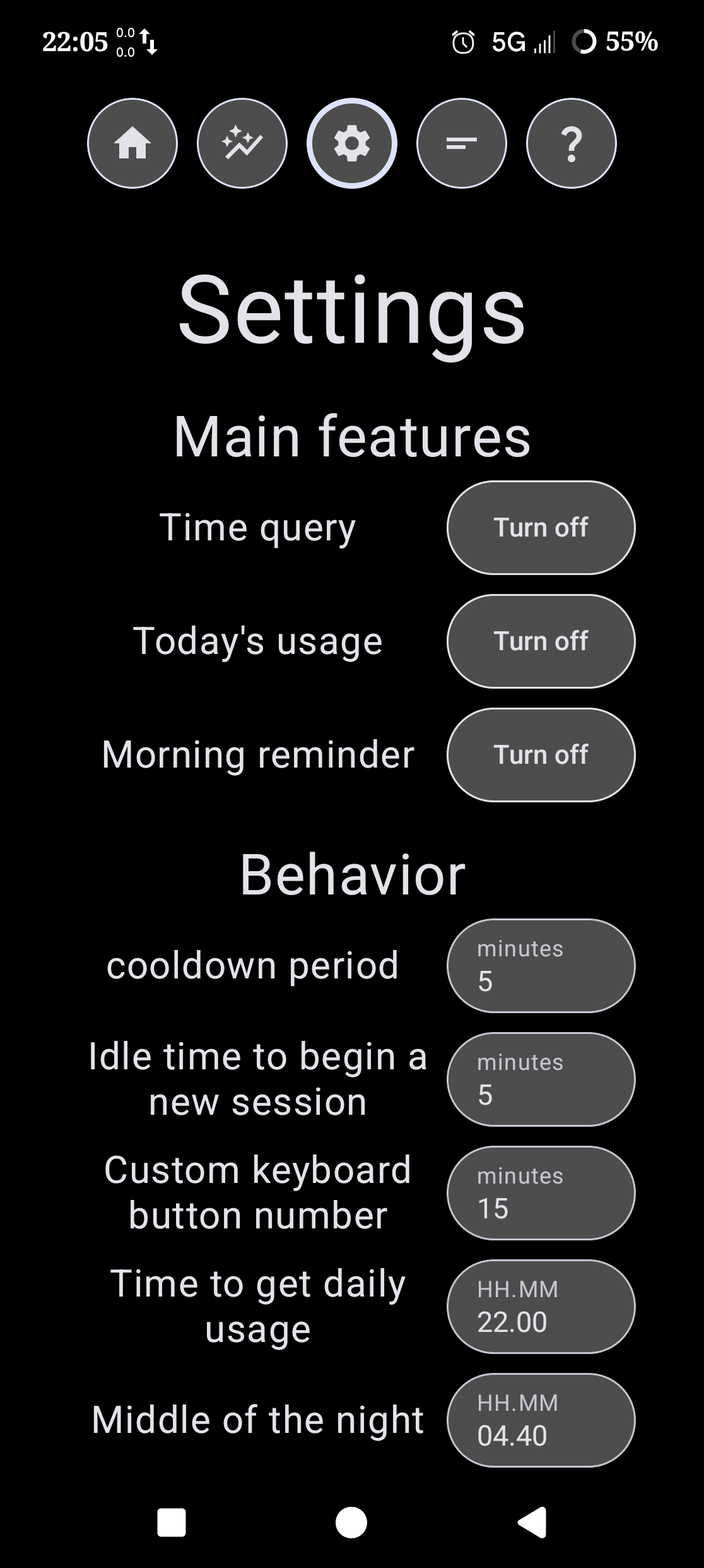
Time query is the base feature of TLAU that asks you how much time you want to spend on your phone using the screen unlocked popup.
Today's usage
Today's usage is the feature that gives you all the data about your phone usage such as phone unlocks, average session, usage time, lets you see the graph screen and more.
Morning reminder
The feature that shows you the morning popup. This is the thing that used to be a separate app ''Morninger'', which was later merged with TLAU.
Cooldown period
How much time you have to wait after your time runs out to use the phone again. Write number of minutes. In case of urgency, you can access the phone before this period runs out.
Idle time to begin a new session
(new session period)
How much time for the phone must be locked to ask you again how much time you want to spend on it. (which then begins a new session)
Custom keyboard button number
Lets you change the key in screen unlocked popup, so you can 1-click any value.
Time to get daily usage
Your daily usage always appears in the app. This defines just when the app should send you a notification with the usage. Write time in format ''HH.MM''.
Middle of the night
When daily usage time and other daily data reset. Also, if you unlock your phone later than this is, you will get the morning popup. Write time in format ''HH.MM''.
Reset cooldown period on unlock
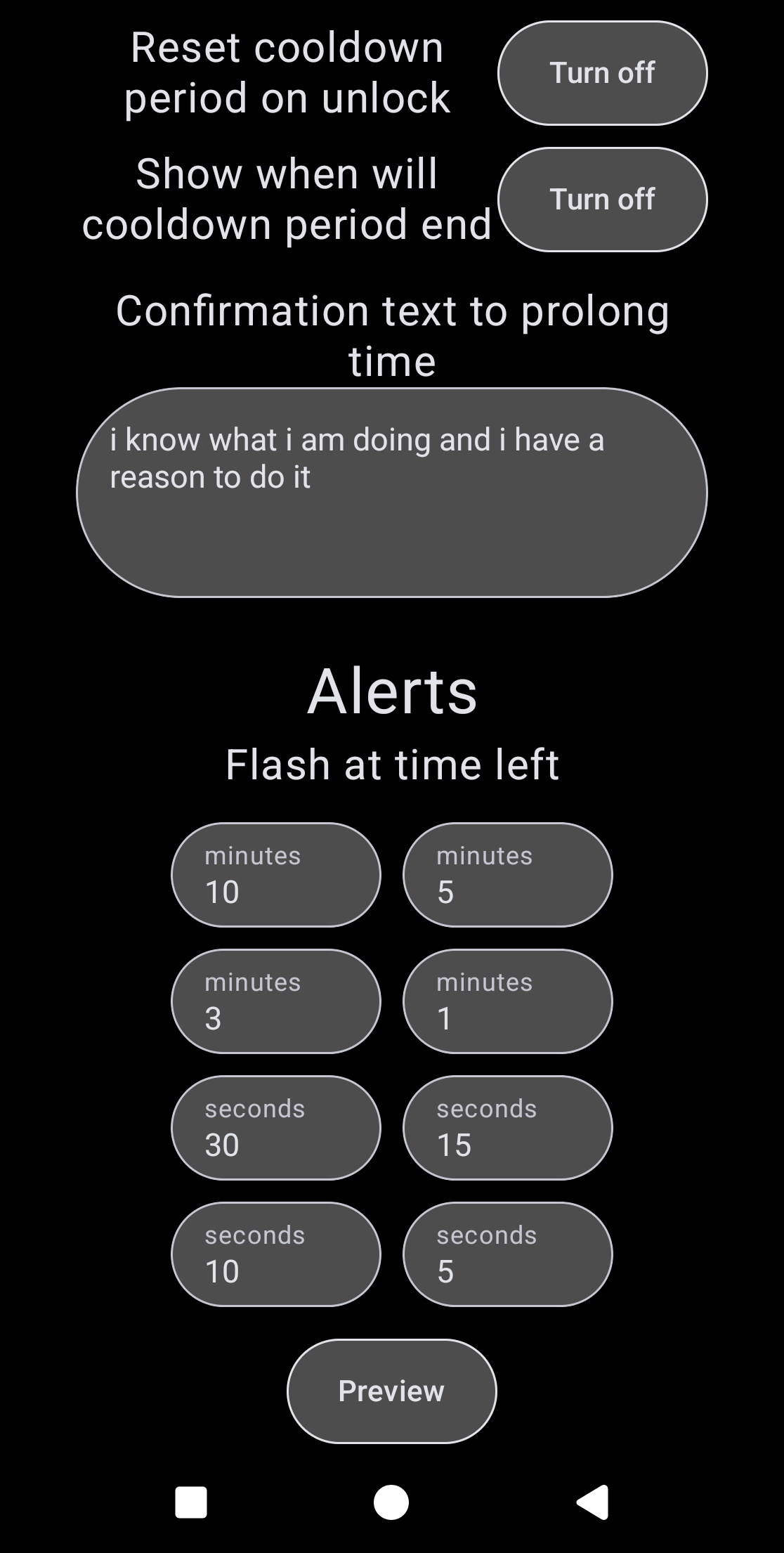
When your time runs out, you enter a cooldown period. This option lets you enable a feature that resets the period when you unlock your phone (if you are in it).
That means that if your cooldown period is 5 minutes, you are 2 minutes in it and you unlock your phone, it extends the period to a total of 7 minutes and you'll have to wait other 5 minutes.
Show when will cooldown period end
Shows this text on the time out popup.
Confirmation text to prolong time
What you need to rewrite to prolong your time. This appears in the add time screen.
Flash at
Flash is an Android feature when you get a tiny box on the bottom of your screen, where some text appears for approximately 3 seconds.
The first 4 boxes are meant to have a number of minutes (left of your chosen limit) and the second 4 boxes are meant to hold a number of seconds (left of your chosen limit). Keeping them all blank disables the feature completely.
Vibrate at
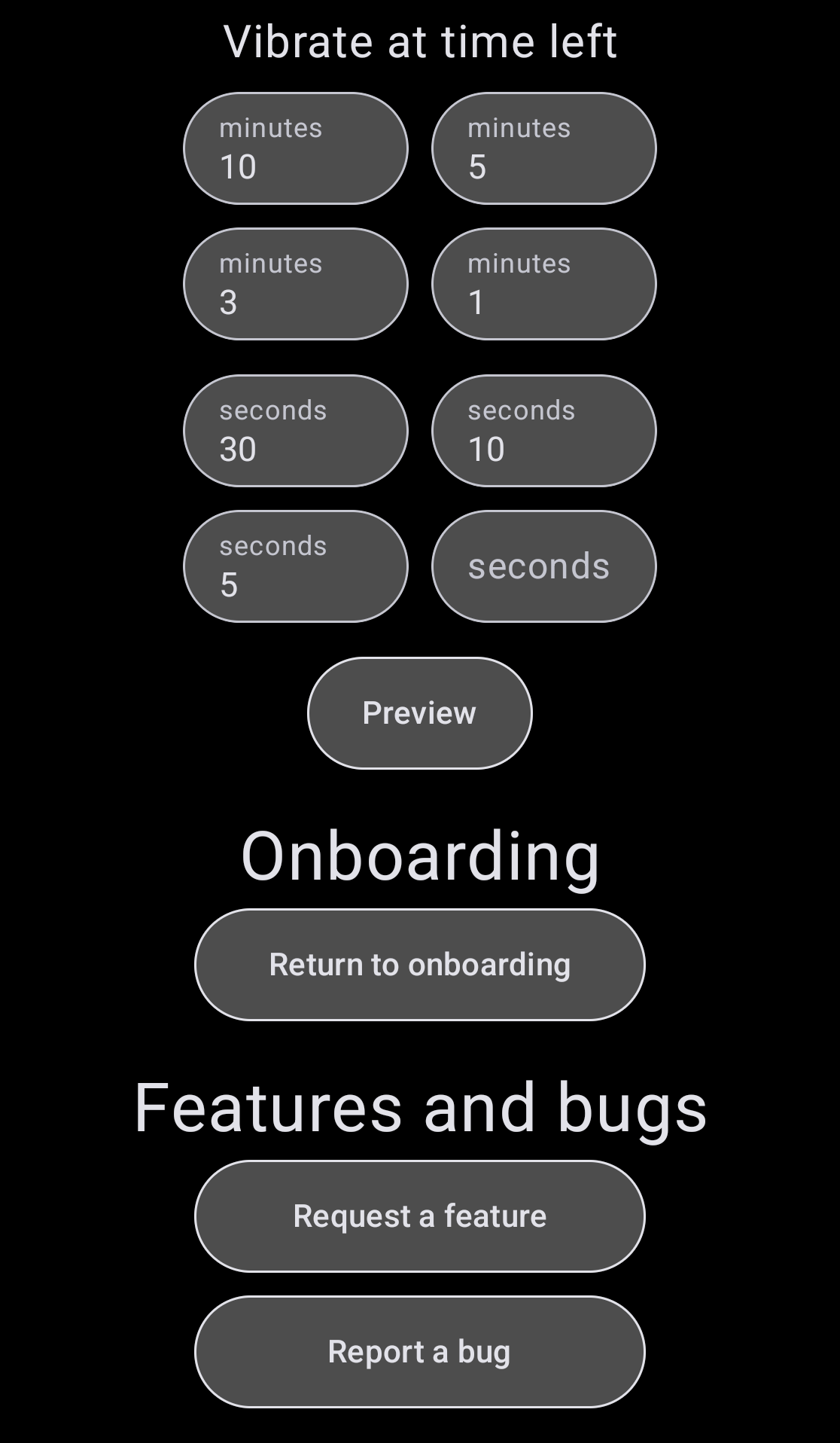
This makes you device vibrate in a unique pattern, so you don't mistake it for something else (a notification or a call).
The first 4 boxes are meant to have a number of minutes (left of your chosen limit) and the second 4 boxes are meant to hold a number of seconds (left of your chosen limit). Keeping them all blank disables the feature.
Previews
Lets you see how do these alerts look like.
Request a feature
Opens a link to feature request form on this website.
Report a bug
Opens a link to bug report from on this website.