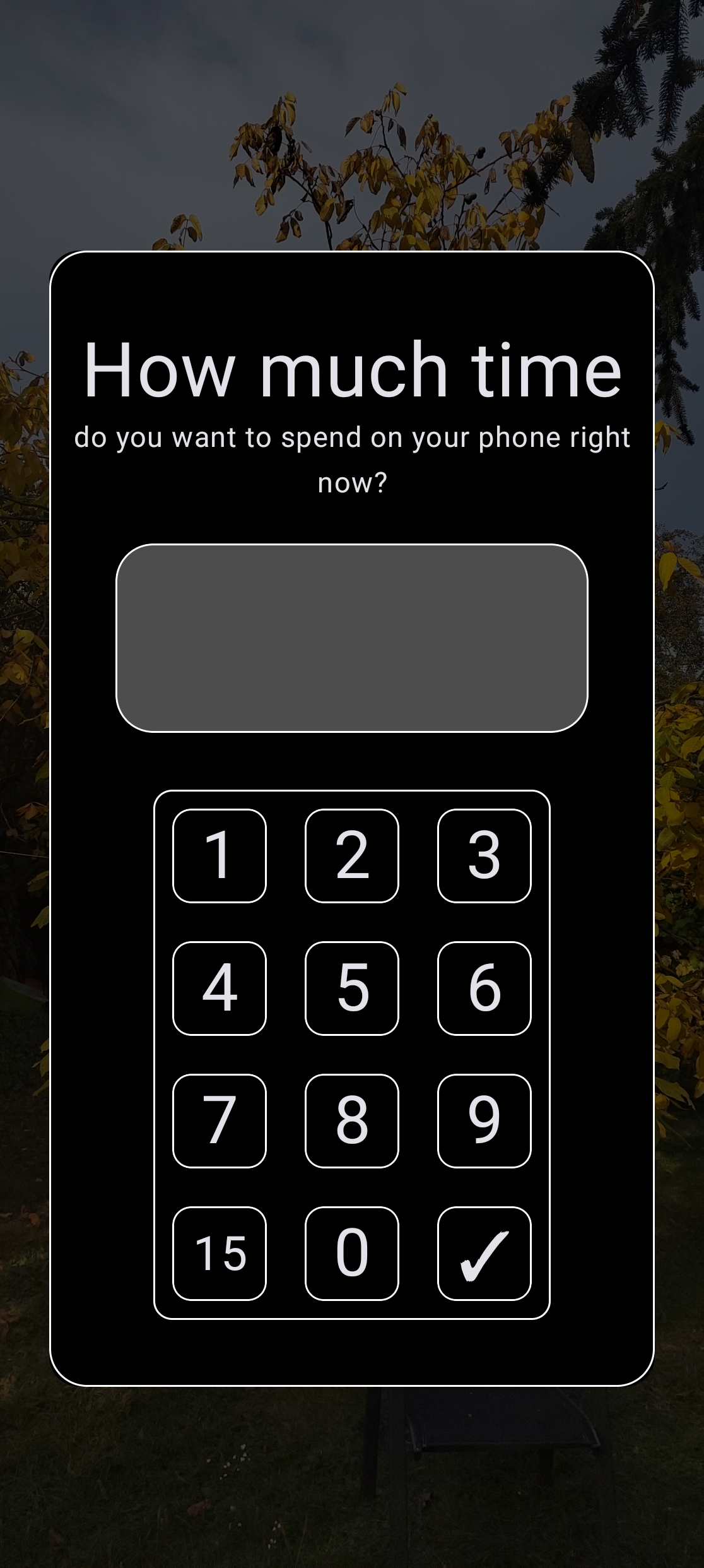
When does it appear
It appears always when you unlock your phone and when you are not in an active session. It can be turned off in settings screen.
The text input
Write there a number of minutes using the keyboard that you see. You can't use your default keyboard here. Clicking the text input doesn't do anything.
The ''keyboard''
Use it as a keyboard. It isn't an actual keyboard, but it works as a normal keyboard and you have no other choice than using it.
The ''15'' key
A custom key. You can set it's value in the settings screen. You can basically use it to 1-click any chosen value of minutes.
The ok button
When you write there the number of minutes, tap this button to validate it and close the popup automatically.